

Greater clarity. Clearer structures. Simpler workflows.
With version 2.7, we have my mobee® has been completely restructured – so that you can find what you need more quickly and work more easily with mobee® 360. Whether in the Web browser or in the mobile app.
Three areas – clearly separated
1. Business Portal – The one-stop shop for administration and resources
Manage software, licences, your own team, marketing materials, appointment bookings and knowledge.
2. mobee® 360 – The central hub for screening data
Carrying out customer and patient care, conducting analyses, and providing results and documents.
3. my mobee® – The section for your customers
View results, trends and recommendations. This section is available to you and your customers.
You can find all the key new features summarised compactly and in detail here.
1. Business Portal – More Independence in terms of software and licences
You can find downloads, licence keys and activations all in one place. New PCs can be set up step by step with the help of a wizard. After changing computers, you can remove the activation yourself and release it for a new PC.
Your benefit: Less coordination, shorter processes and greater control over your software environment.
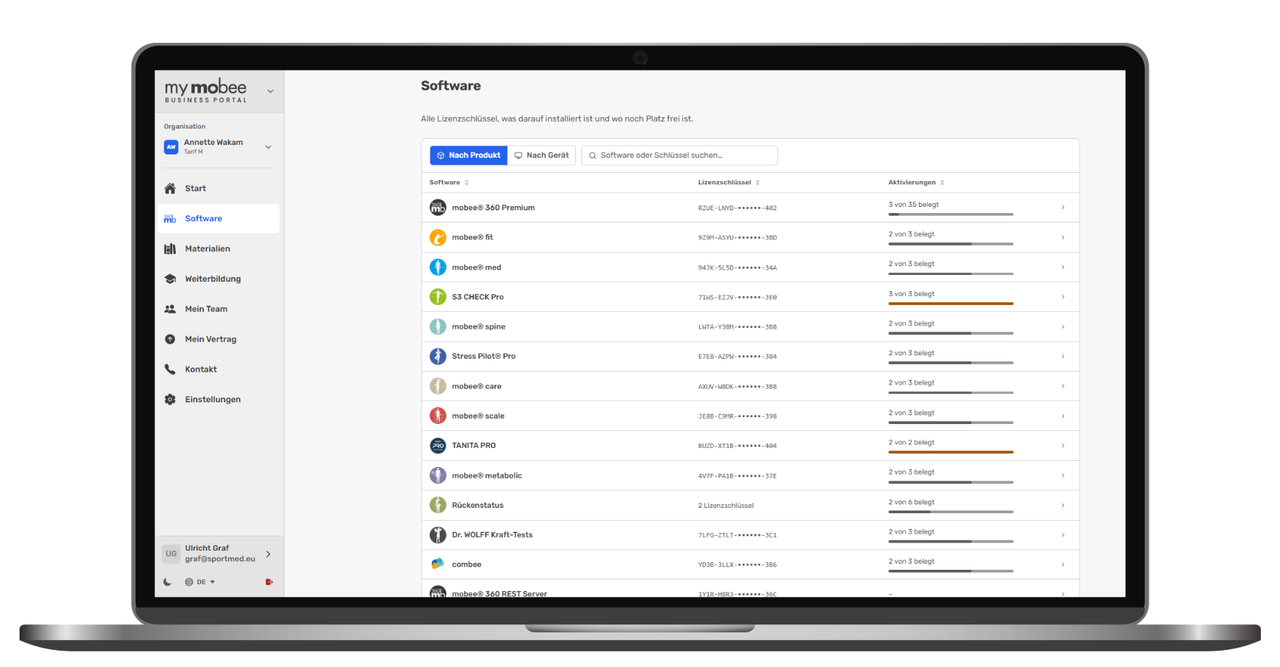
Start
The new, streamlined structure shows you all the available products and provides access to various tasks. A simple four-step guide walks you through the installation and initial configuration of your mobee® 360 software on a new device.
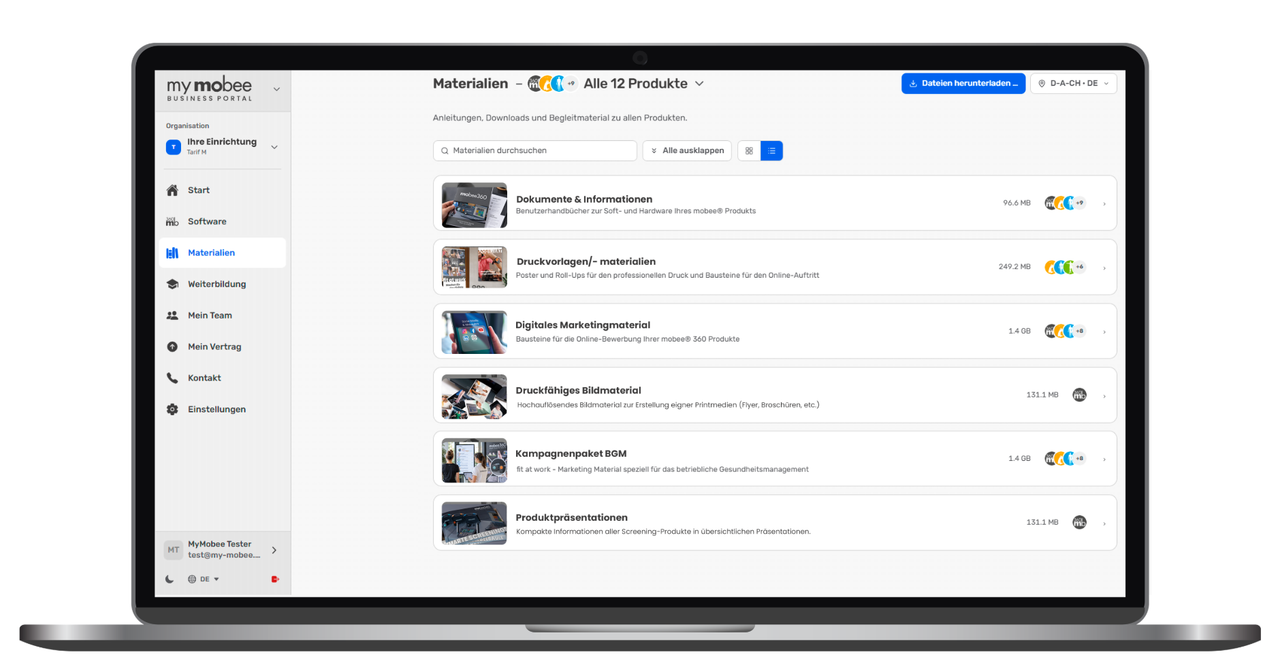
Materials
The improved overview of materials offers a preview and grouped download options. With just a few clicks, you can access the wide range of resources available for your products, in particular a varied selection of marketing materials for workplace health management and health days, physiotherapy practices, fitness providers, etc.
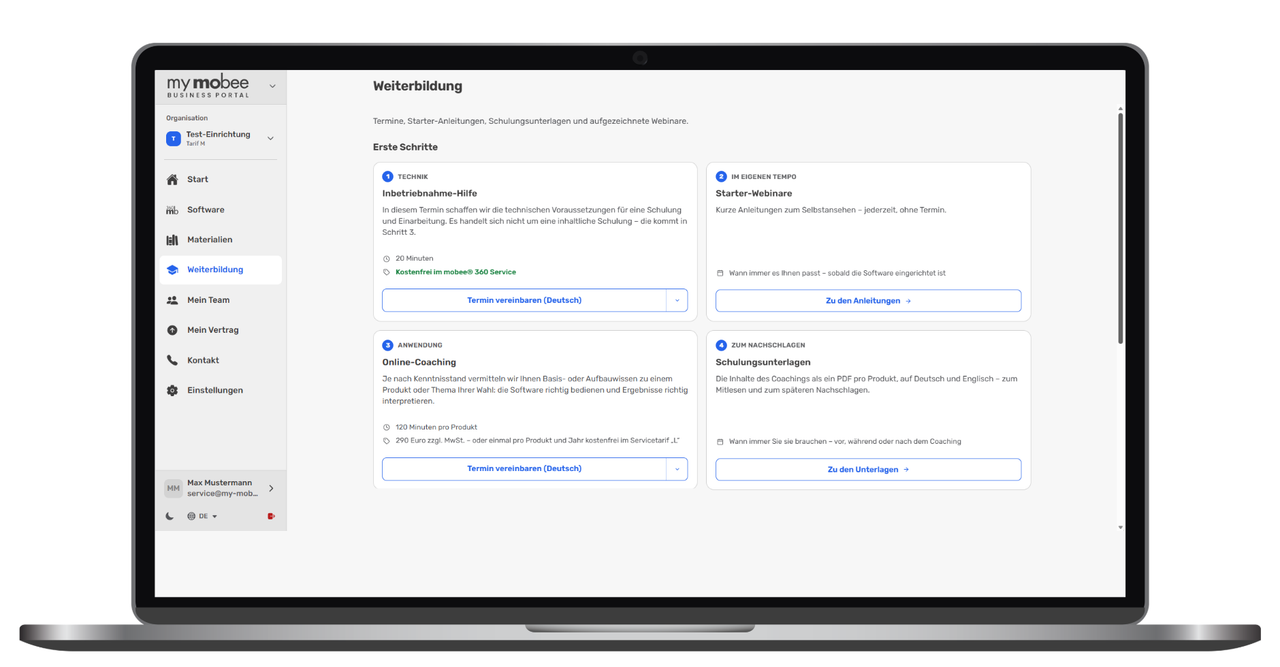
Further training
In the ‘Further Training’ section, you will find getting-started guides, training materials and recorded webinars for all available products. Everything is brought together in one place to help you get started, provide product training and serve as a resource for future reference. You also have the option to register directly for online training courses, webinars and user workshops.
My team
Overview and management option of all persons assigned to your organisation, including their respective role.
My contract
Detailed overview of your service agreement with a comparison table of all included services in the areas of support, software, service and licences.
Contact us
Technical support contact form with new screenshot and log file storage for more efficient troubleshooting.
Settings
Here you will find the settings for your own organisation, which you can manage and edit.
2. mobee® 360 - A clearly defined structure for Screening data
You can now find everything you need to know about your screenings in the new section mobee® 360. The newly created working environment enables you to carry out analyses and to centrally store and manage the results and documents relating to each client or patient. Questionnaires and analyses are now clearly separated from one another and can therefore be used independently of one another. Additional functions and information have been reorganised so that the individual steps are more clearly distinguished from one another and can be accessed more quickly.
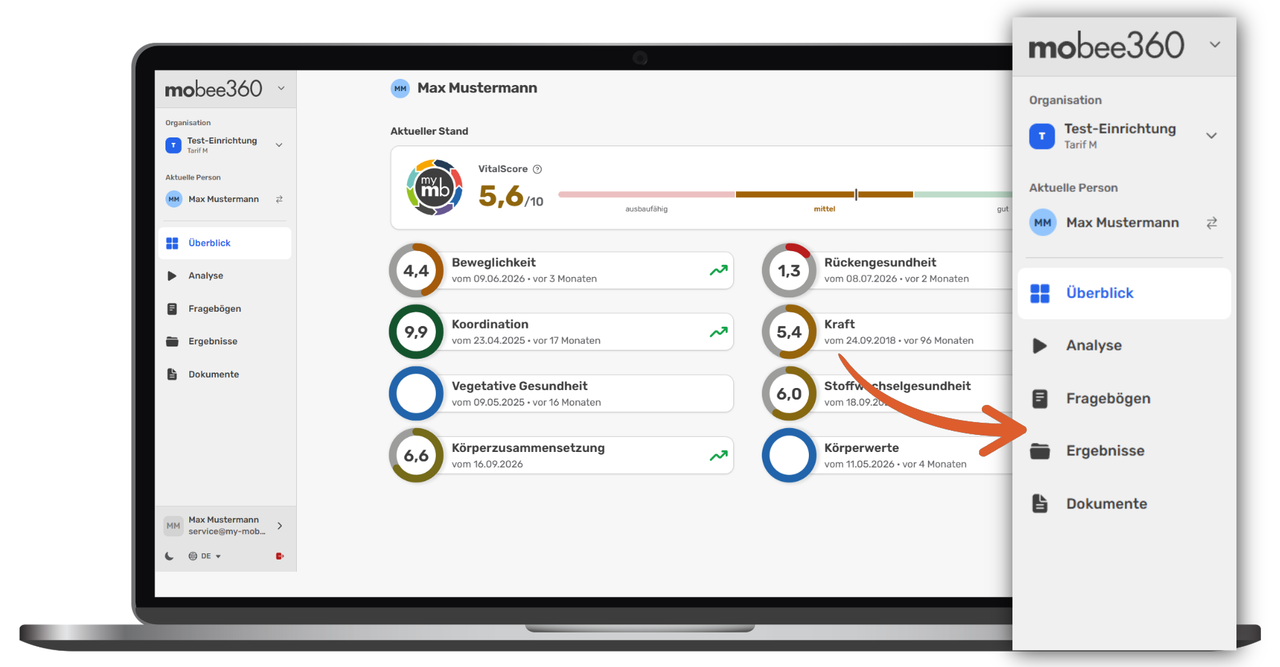
Overview
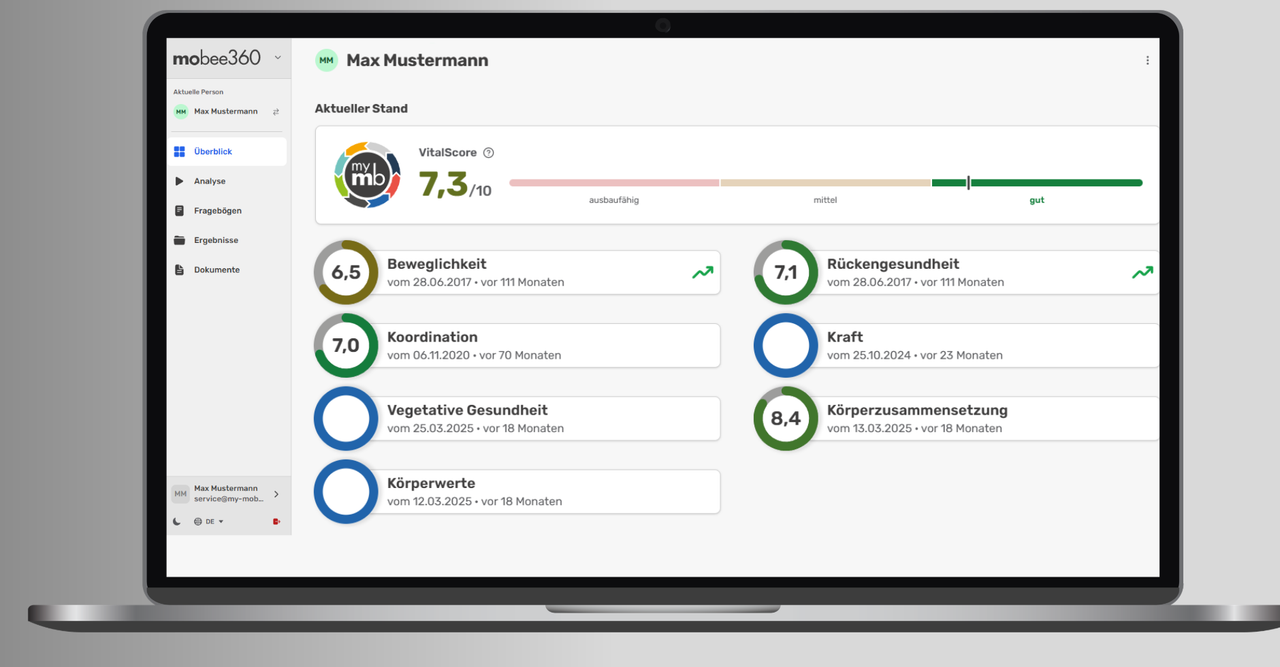
The overview shows the current VitalScore for your selected client or patient. The graphical representation of the VitalScore has been supplemented with a clear range of values, which makes it easier to interpret the individual result. Selecting an individual result displays the relevant details.
Analysis
Launch and carry out available and linked analyses straight away (currently available for seca and InBody analyses).
Questionnaires
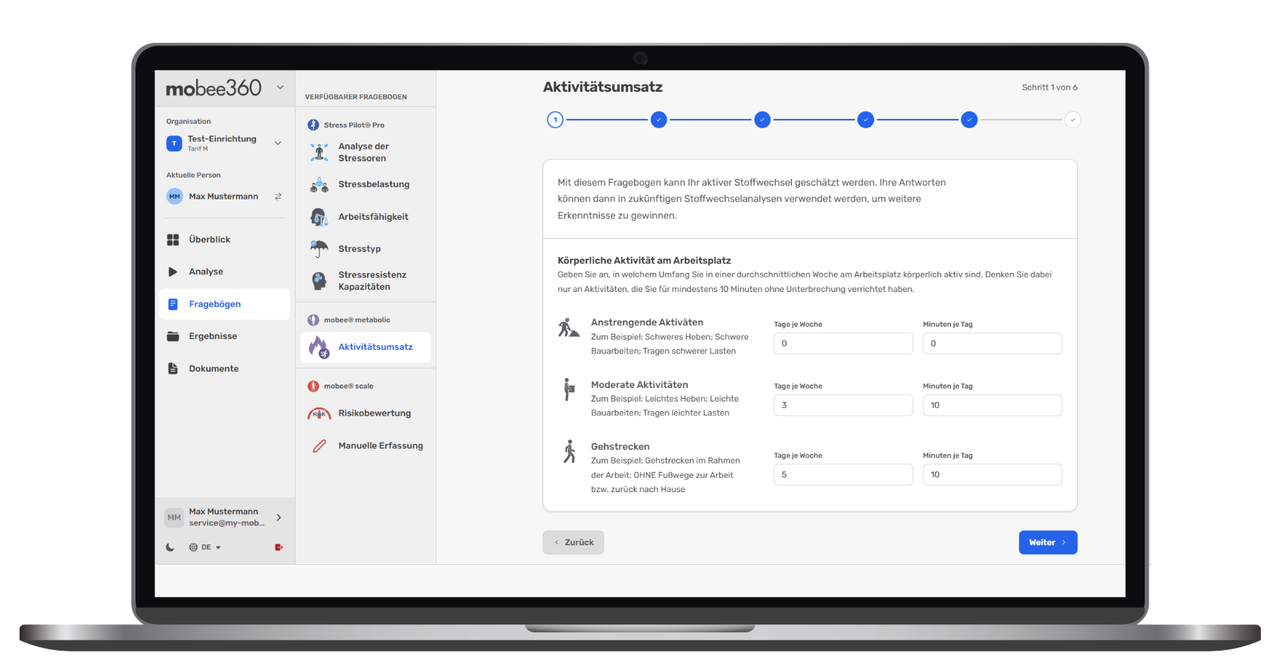
Here you will find a list of all available questionnaires. Complete data collection forms directly with your client or patient, such as the questionnaire for determining activity expenditure in mobee® metabolic.
Results
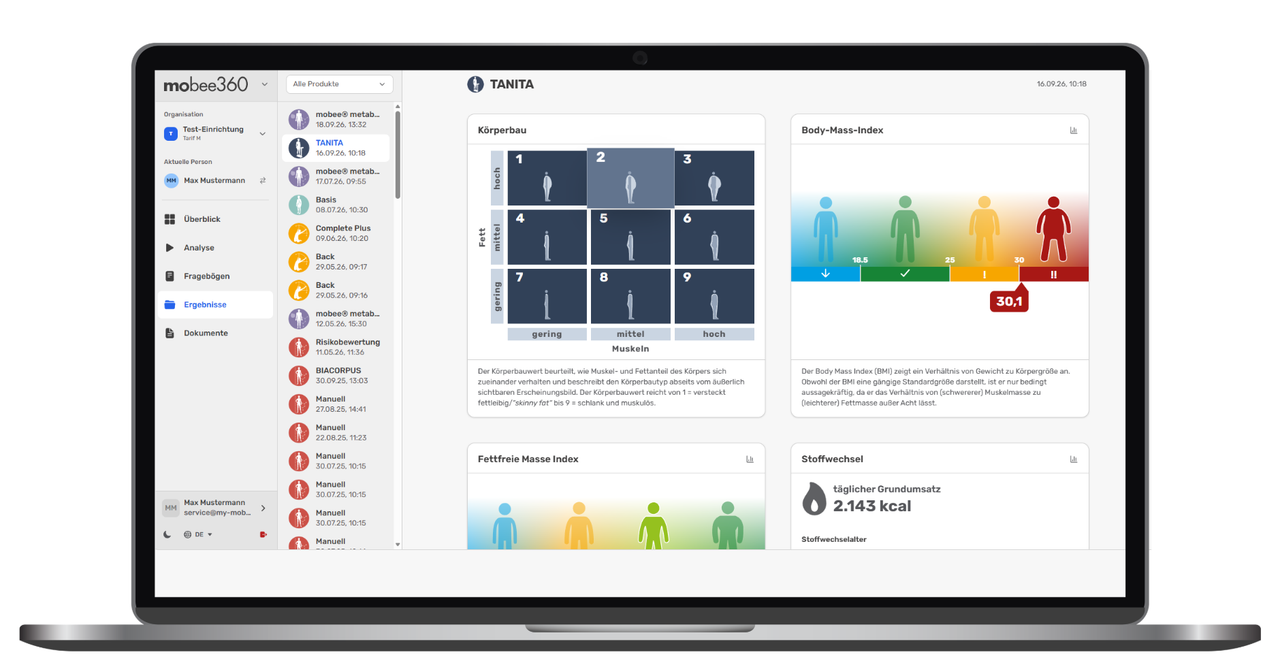
Use the chronological list of all screenings already carried out to gain an overview of the analyses that have already been performed.
Documents
In the document archive, you will find all the PDF documents stored for your client/patient. You can upload new documents here and save them in the archive.
3. my mobee® – The customer portal
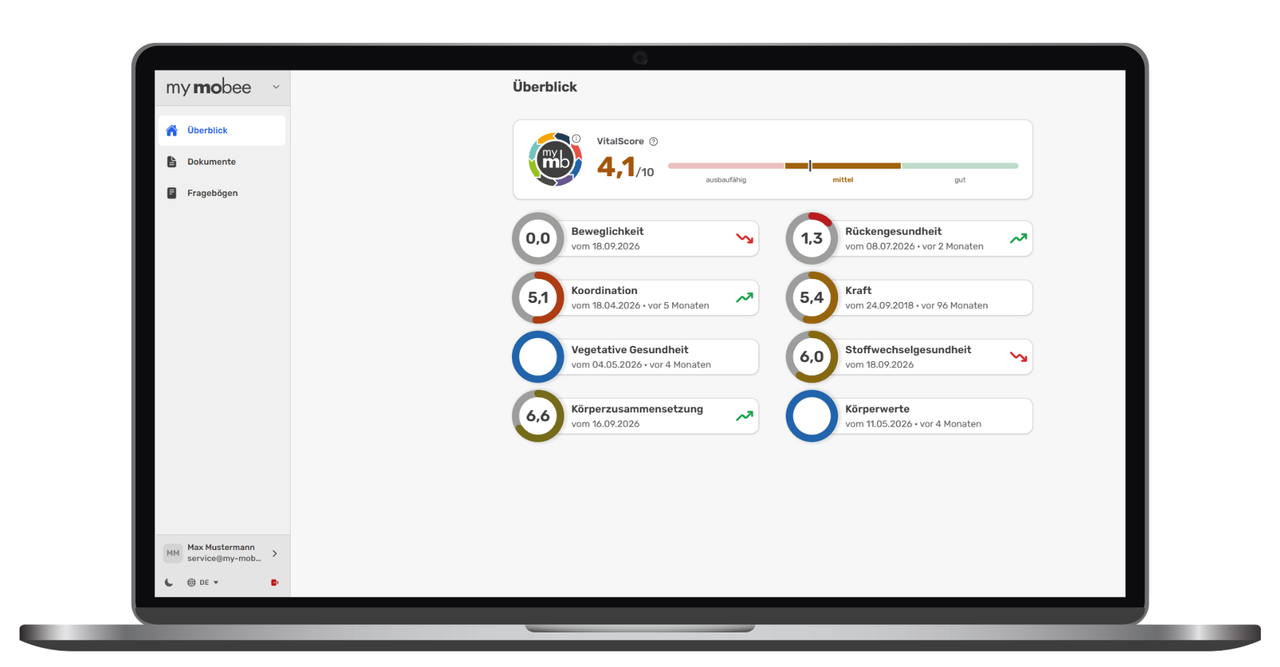
The personalised user area for your customers and patients. The clear presentation of all available test results and recommendations lays the foundation for long-term motivation and adherence. The redesigned VitalScore provides a quick and accurate assessment of current health status by combining several key health factors into a single indicator.
user interface
In addition, the user interface has been extensively revamped, including improvements for better mobile use and the addition of light and dark display modes. You can, of course, still use it in your browser.
Prices and content
| Rate | no tariff | S* | M | L |
| my mobee® Business Portal (Basic Access) | limited | ✓ | ✓ | ✓ |
| my mobee® Business Portal (Premium access) | - | - | ✓ | ✓ |
| my mobee® App | - | - | ✓ | ✓ |
| Basic marketing kit (logos, product images, etc. for online use) | - | ✓ | ✓ | ✓ |
| Digital Marketing Package (print-ready files for leaflets, posters and roll-ups) | - | - | ✓ | ✓ |
*Tariff S is available exclusively for Dr. WOLFF BackCheck Pro/Dr. WOLFF LegCheck.
How do I get the update?


Haven't set it up yet? We'll help you get started.
Would you like to set up my mobee® or do you need help getting started? Book a 20-minute Online setup assistance – we’ll help you set it up.