
The following updates will be available for your mobee® 360 software from 01/06/2026:
| Module / Plugin | Current target version Latest version | Changes included |
| mobee fit | 4.0.0.0 / 3.4.0.0 | Support the new Mobee Flex Hardware, new reporting views, improved graphics |
| mobee metabolic | 1.6.4.0 / 1.6.0.0 | Important user notice regarding maintenance intervals |
| Back radar / unicore4D | 3.4.8.0 / 3.4.6.0 | Combining analyses from archives |
| TANITA Pro | 2.6.8.0 / 2.6.2.0 | New comment function, supplemented Excel export values (R/X values at 500kHz frequency) |
| S3 CHECK Pro/ mobee balance | 2.4.4.0 / 2.4.0.0 | Upload of results corrected, communication problems with USB HID resolved |
| mobee360 Cockpit | 2.6.4.0 / 2.6.2.0 | New component Microsoft.WebView2 (instead of Adobe Reader) for PDF view |
Digital signature
All software components are digitally signed to verify the integrity and origin of the software. The digital signing of software components enhances system security and makes subsequent tampering more difficult.
| Area Digital Signature Functional changes | Change Update to the digital signature None |
| Module/ Plugin Mobee scale (anthropometry) Dr. WOLFF Back Check Pro mobee spine mobee care Back status Stress Pilot Pro mobee360 Base Module (unicore) | Version number increased on 3.4.6.0 on 3.4.0.0 on 4.2.6.0 on 2.4.4.0 on 3.4.4.0 on 3.4.8.0 on 4.8.2.0 |
Included in mobee® fit from version 4.0.0.0
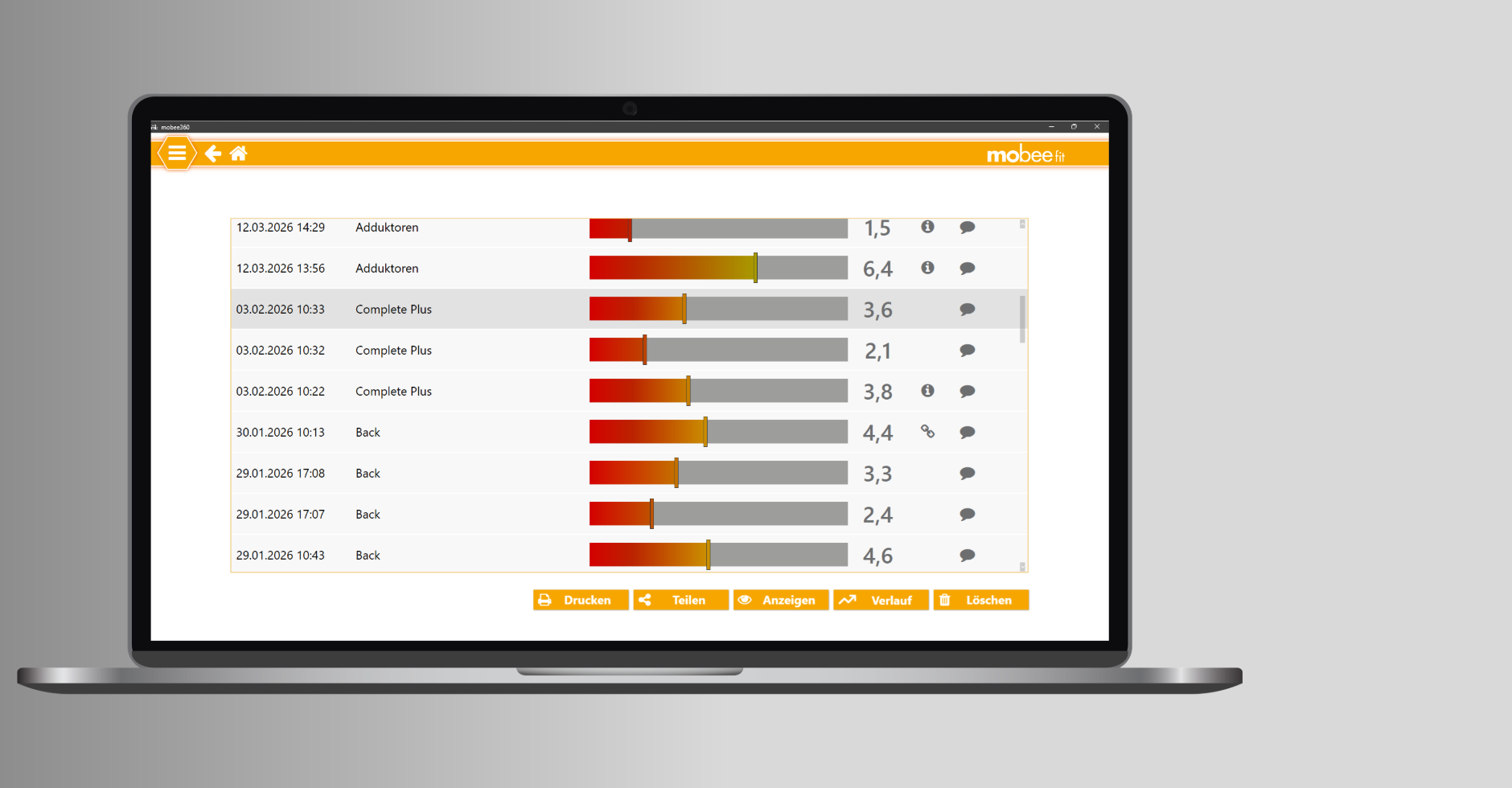
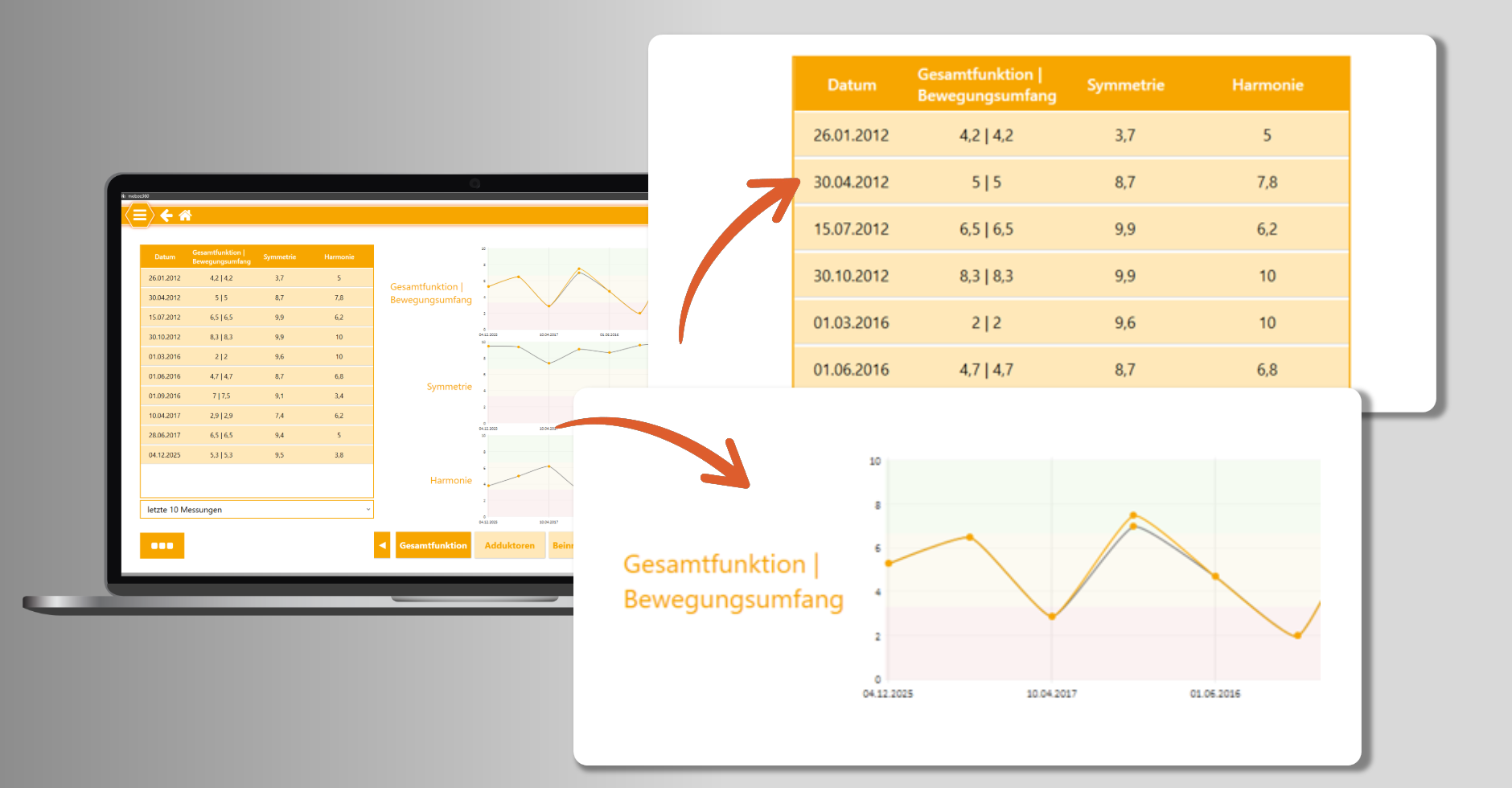
The existing analysis results will be presented in a modernised Archivestructure that enables direct access to individual results as well as the visualisation of progress and global development.
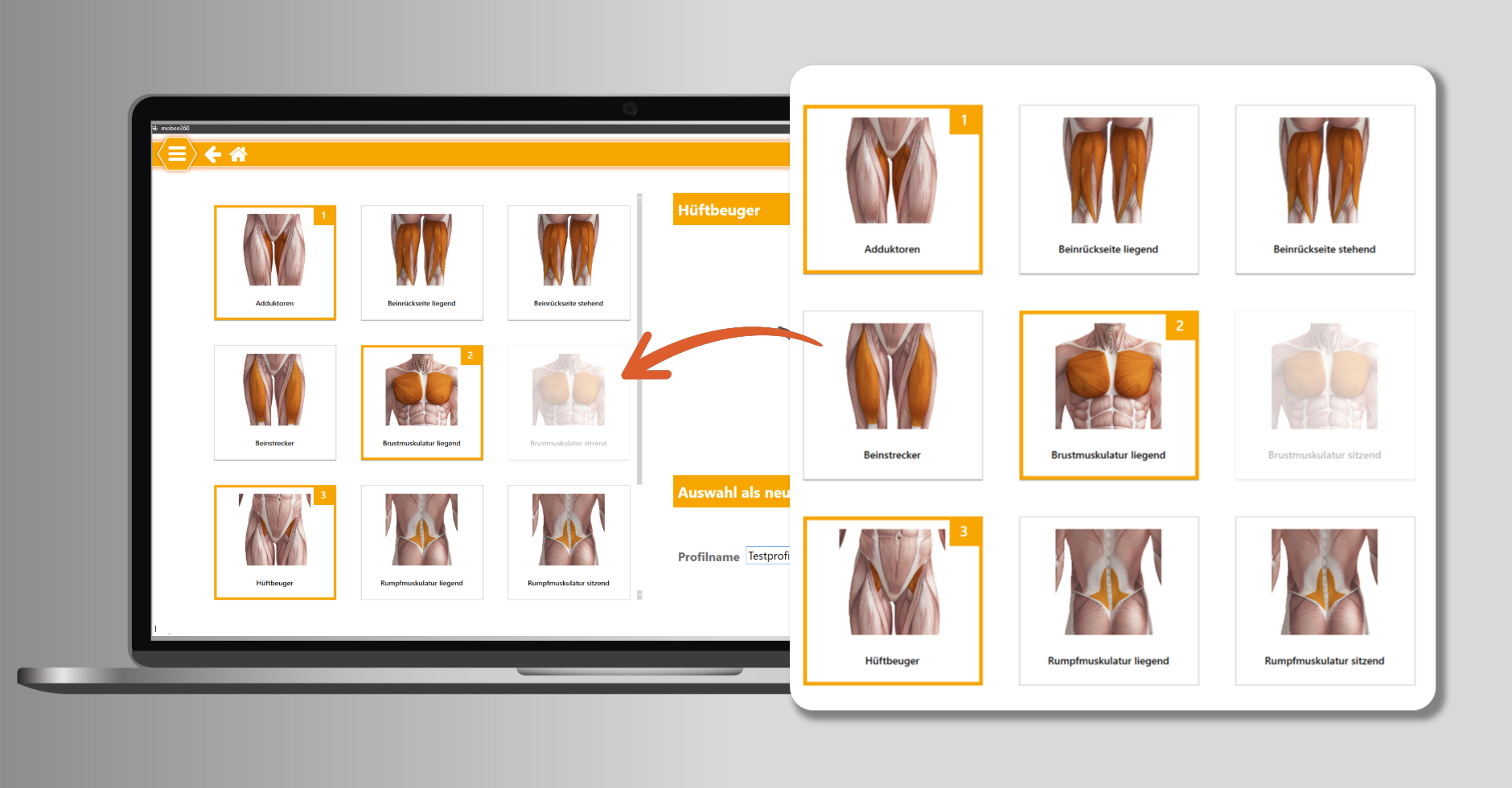
The revised Editor enables faster configuration of analyses. Muscle and functional areas are displayed tile-based and can be individually assembled by selecting and deselecting. The order of analyses can also be flexibly adjusted.
Unified Assessment Framework
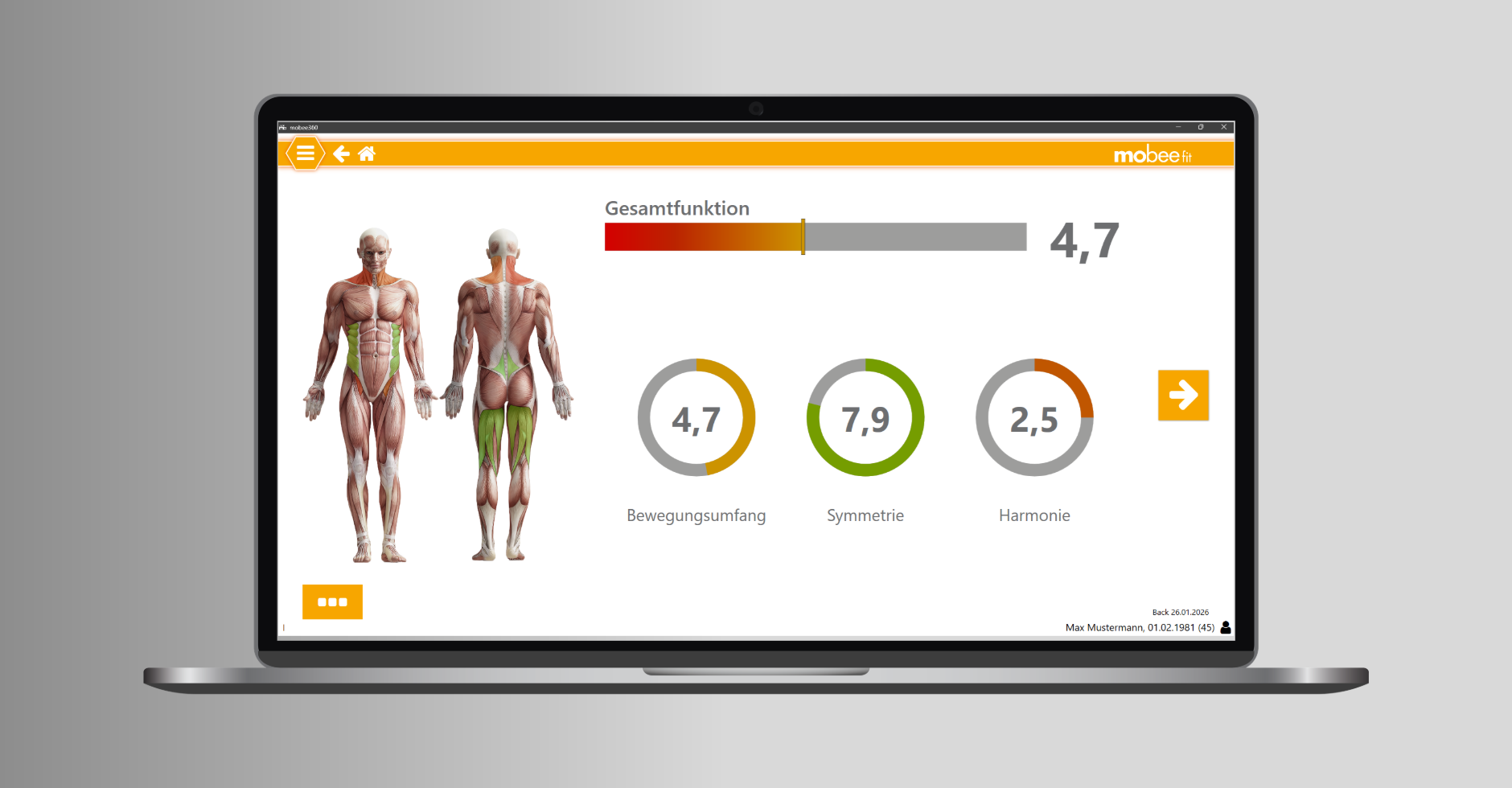
The overall function has been adapted to the evaluation logic of other mobee® 360 modules.
The Overall function The mobee® fit analysis summarises the most important aspects of physical movement quality into a clear overall score. This involves Range of motion, symmetry and harmony the movements are combined and evaluated. The displayed Score enables a quick assessment of the functional performance of the musculoskeletal system and highlights areas where optimisation is needed. Thus, the overall function serves as a clear guide for prevention, training, and therapeutic measures.
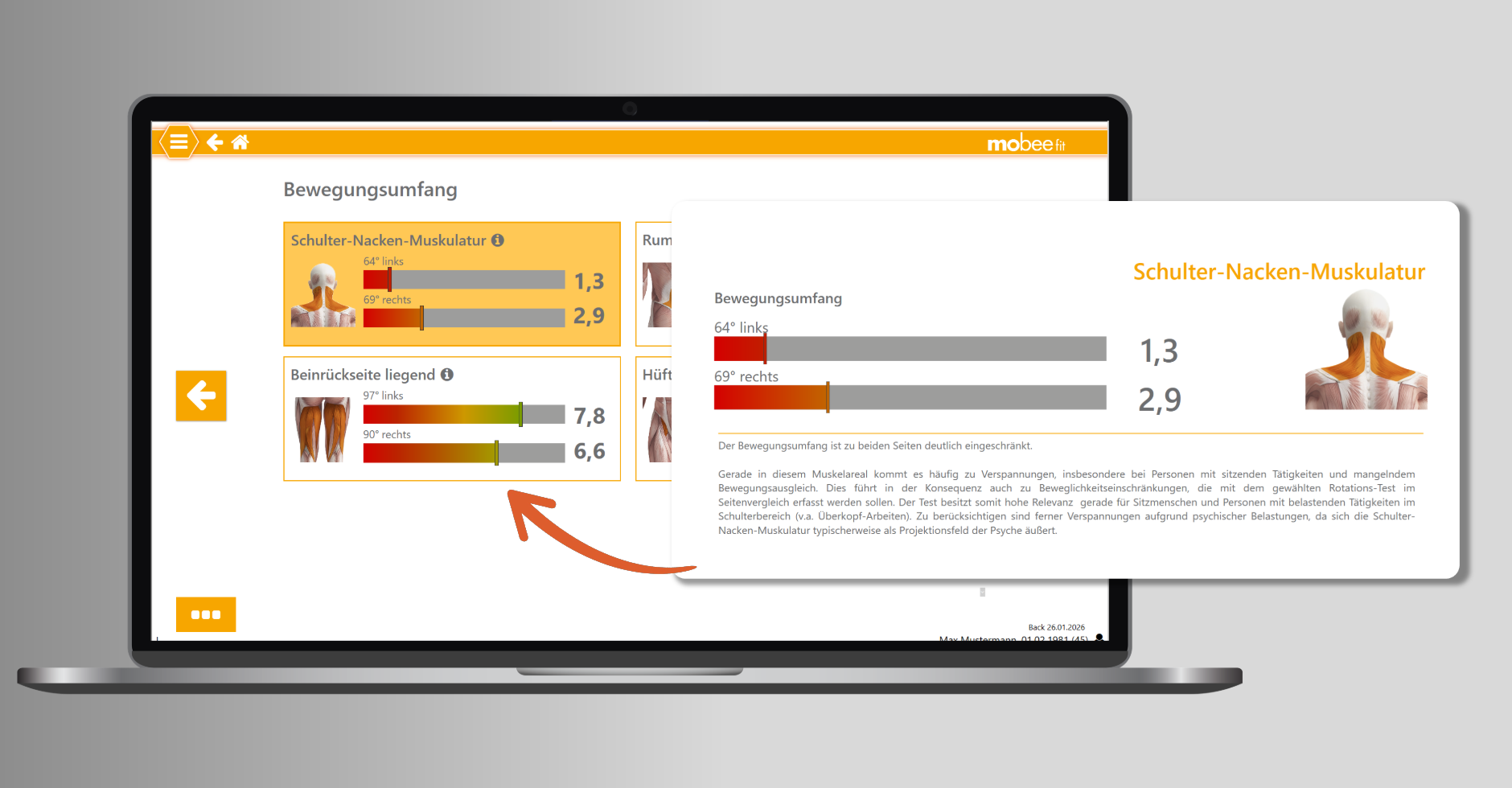
In the revised ResultThe view visualises both measured values in a common graphic. This allows for a direct side-by-side comparison, the ratings are displayed based on a uniform scale, and additional information can optionally be shown if required.
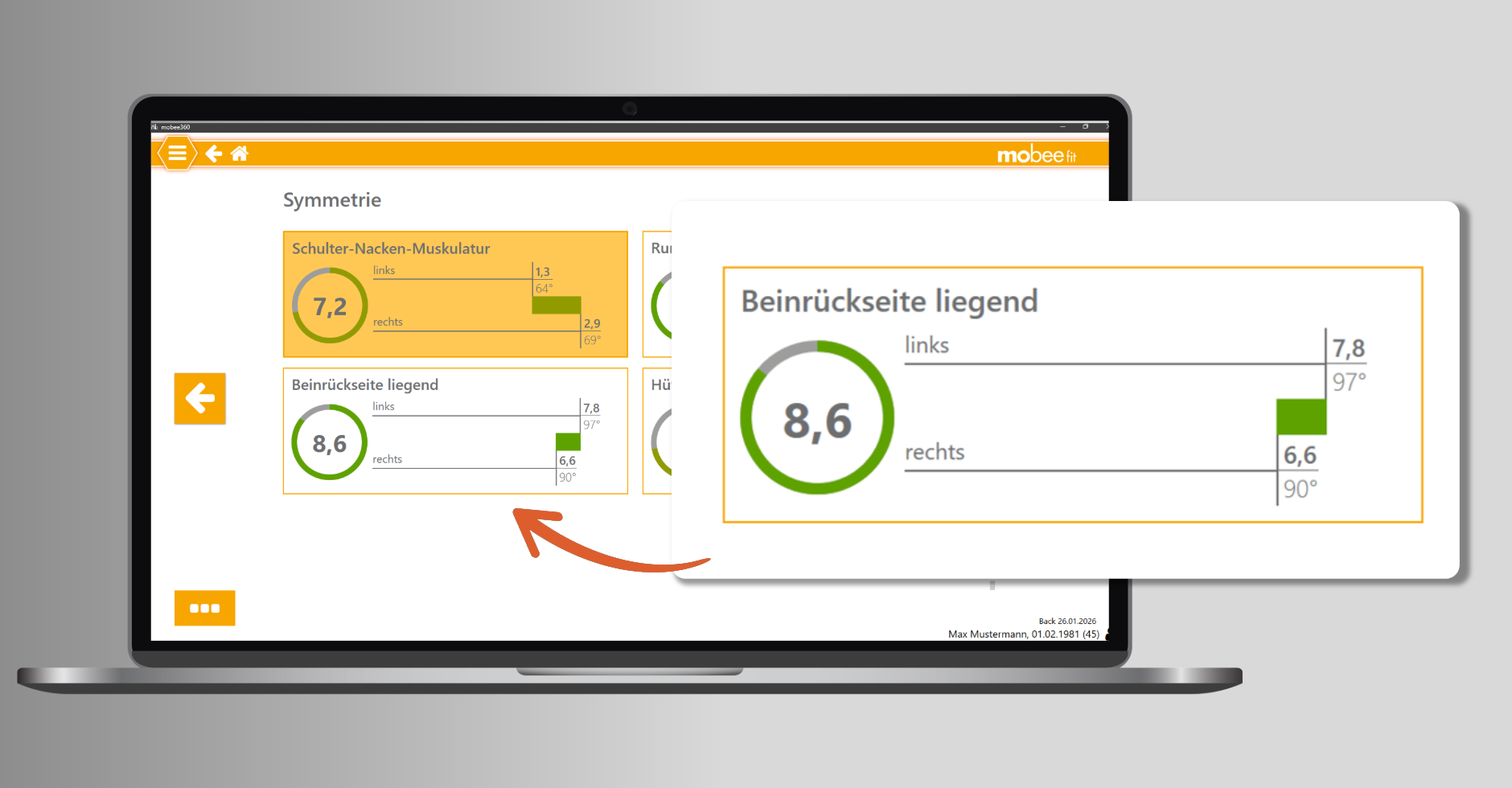
The SymmetryThe analysis assesses differences between the right and left sides of the body. Limitations or deviations are visually presented and can be interpreted in the context of individual movement patterns. This allows for the early identification of indicators such as one-sided strain or muscular imbalances, for example.
Features of symmetry evaluation:
- Direct page comparison with score calculation
- Visualisation of page differences
- Unified evaluation logic within the analysis
- Higher scores with small page differences
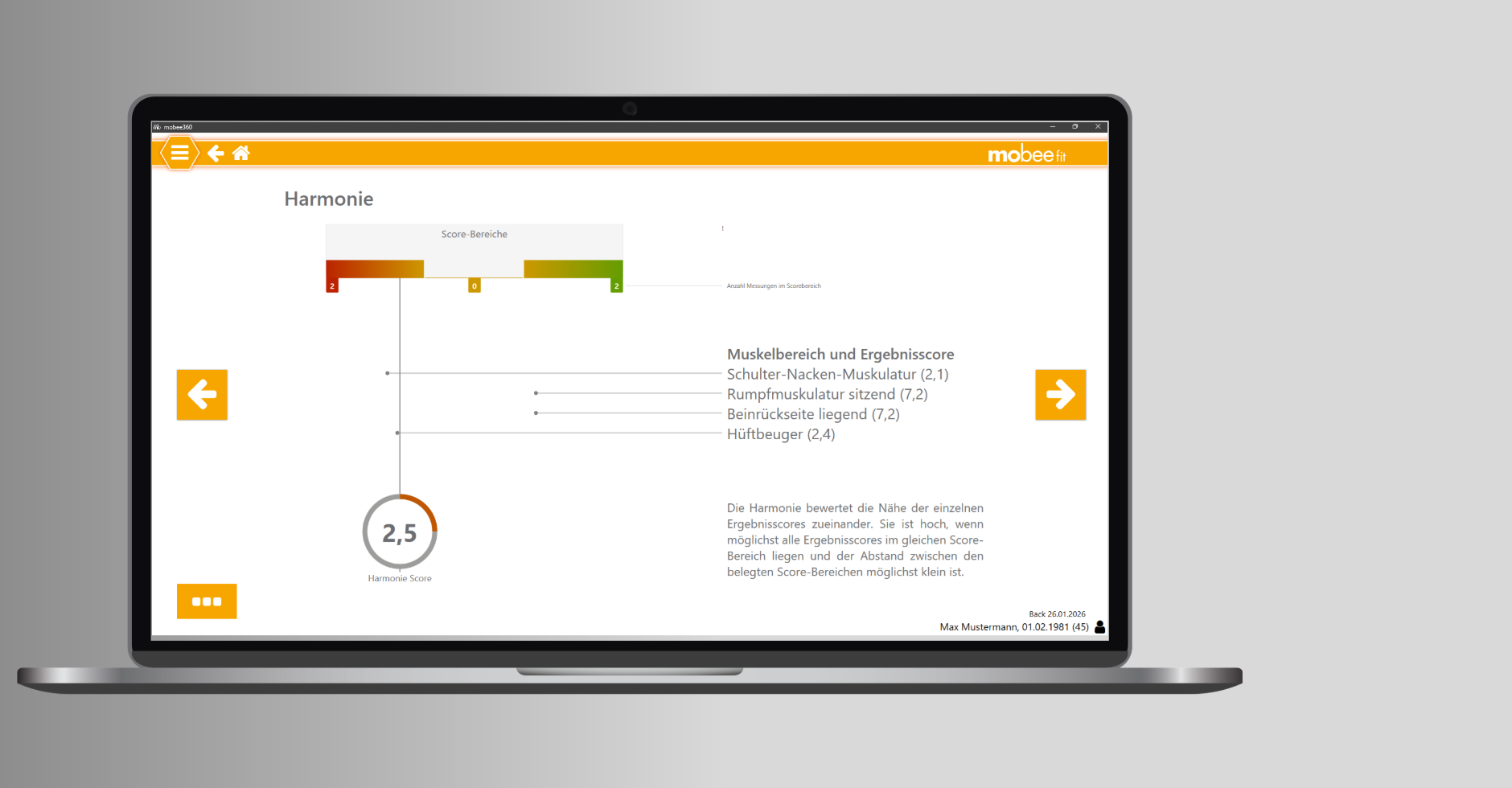
The HarmonyThe score describes how evenly mobility is distributed across the body. It assesses how close the individual result scores are to each other. A homogeneous distribution of mobility leads to a higher harmony rating, while greater differences result in lower scores.
Features of the Harmony Score:
- Clear presentation of the mobility distribution
- Support with the interpretation of complex analytical values
- Unified assessment of functional balance
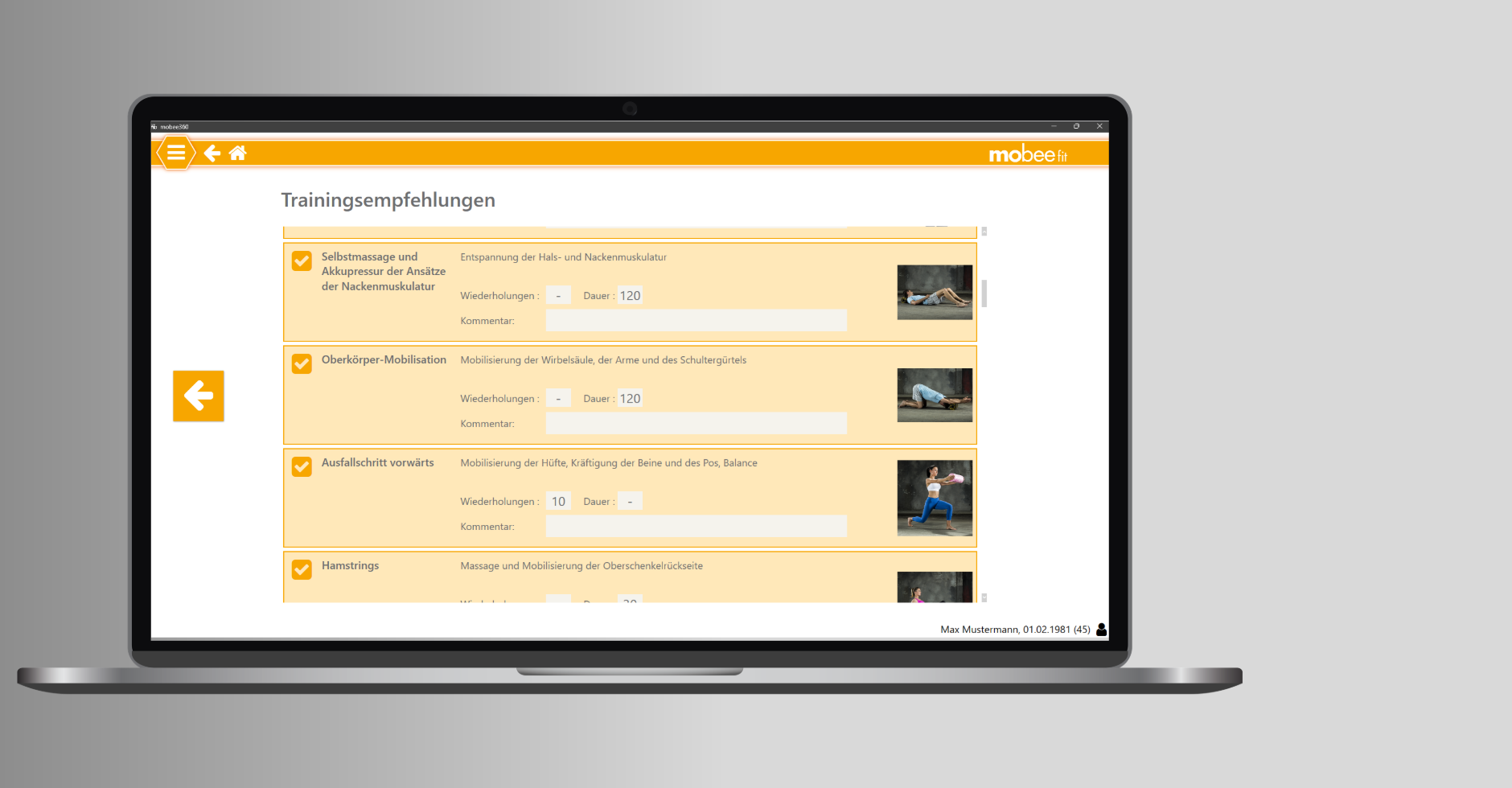
The Training recommendations are available directly within the analysis and can be used for exercise selection and individual adjustments.
The HistoryThe view has been revised and displays developments in both a line graph and a tabular format. This allows changes to be tracked across multiple analyses.
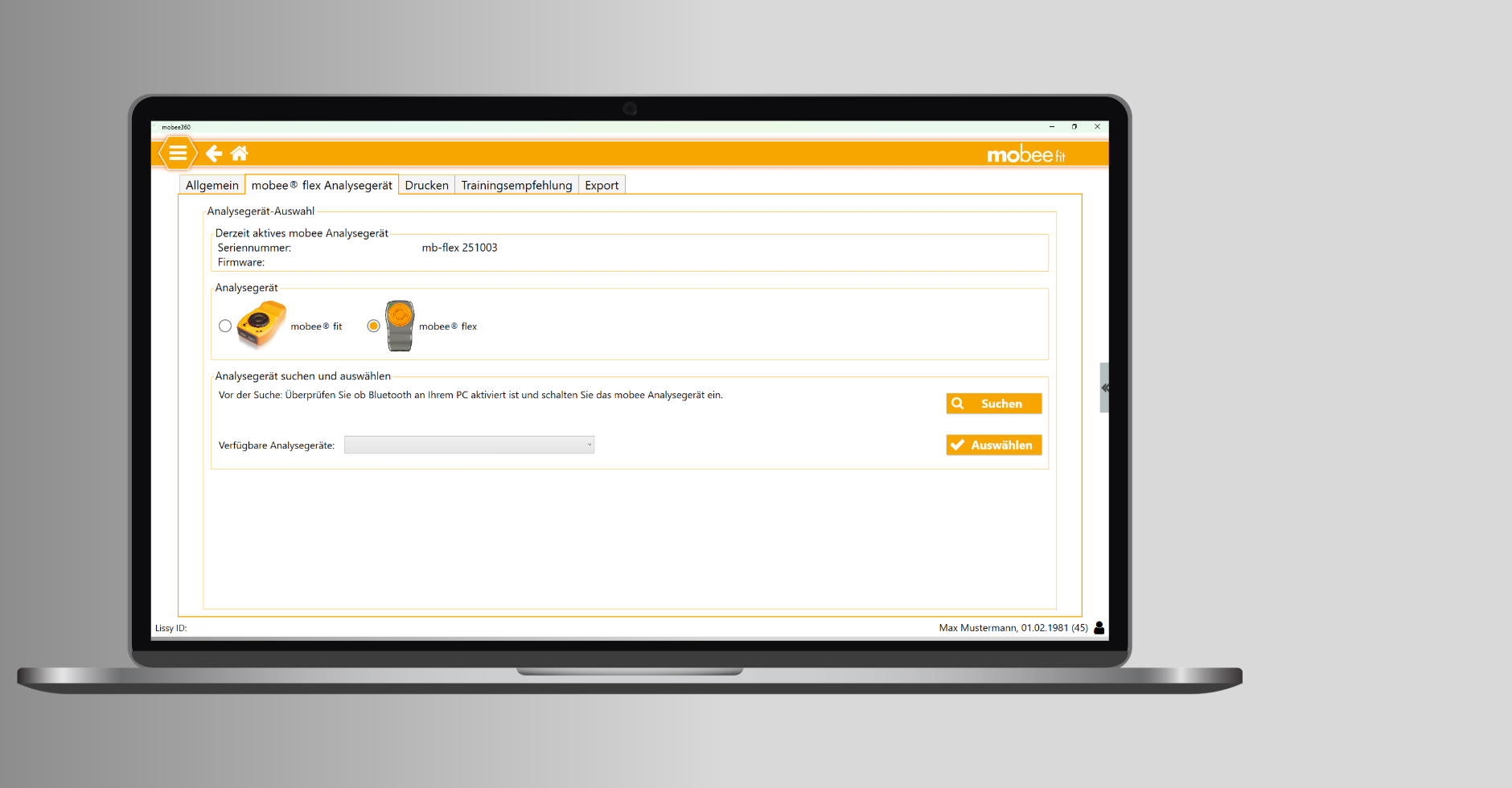
Flexible hardware selection. In the settings, you can select whether the analyses should be carried out with the previous mobee® fit hardware or with the new mobee® flex hardware.
Included in mobee® metabolic Version 1.6.4.0
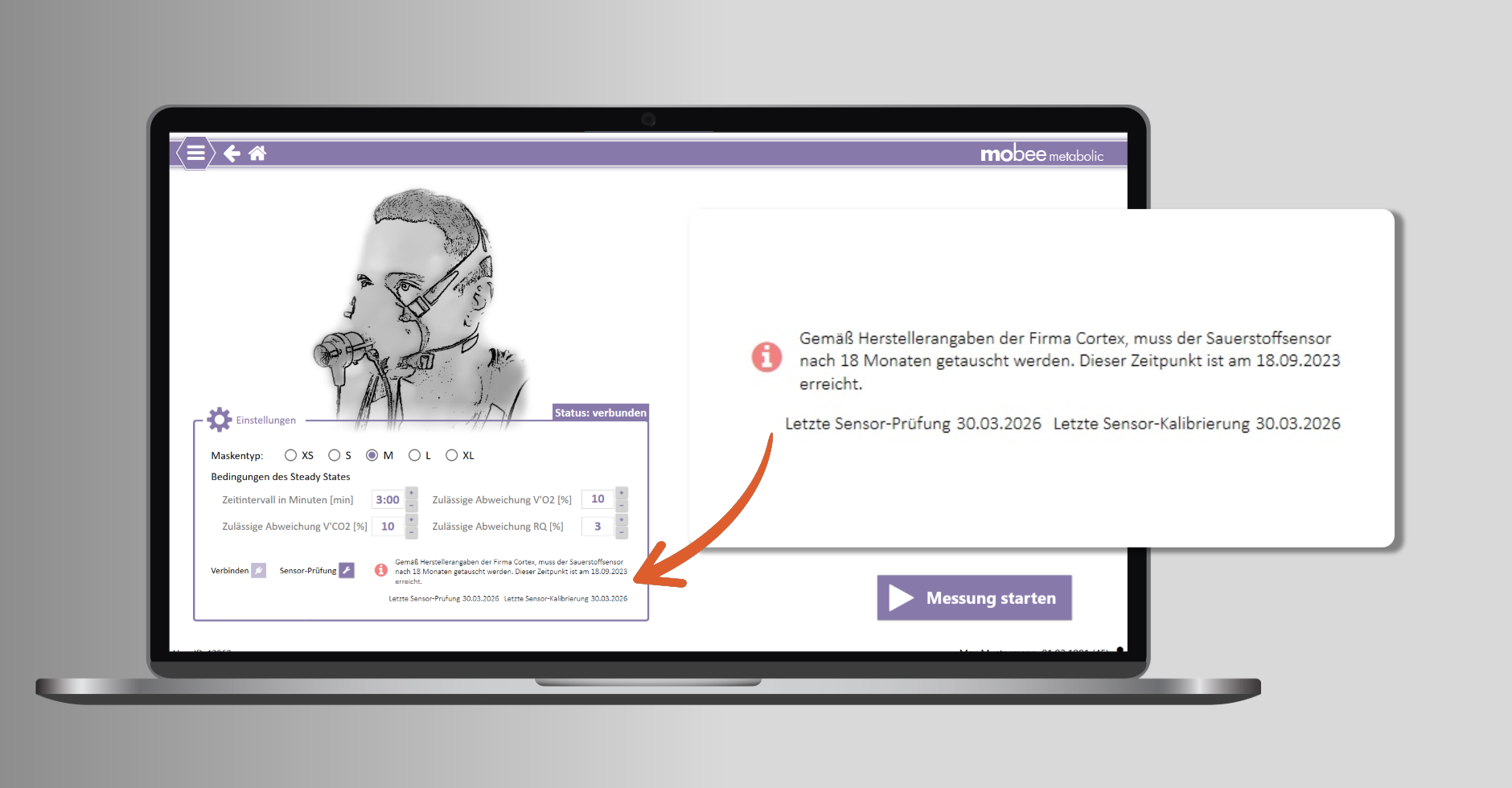
Maintenance and calibration instructions
You will receive timely notifications regarding the maintenance and calibration activities required for your Cortex Metalyzer.
+ Note on oxygen sensor replacement (manufacturer's specifications) after 18 months
+ Note on oxygen sensor replacement in product settings
+ Display „Last sensor check“ and „Last sensor calibration“
Included in rear radar from version 3.4.8.0
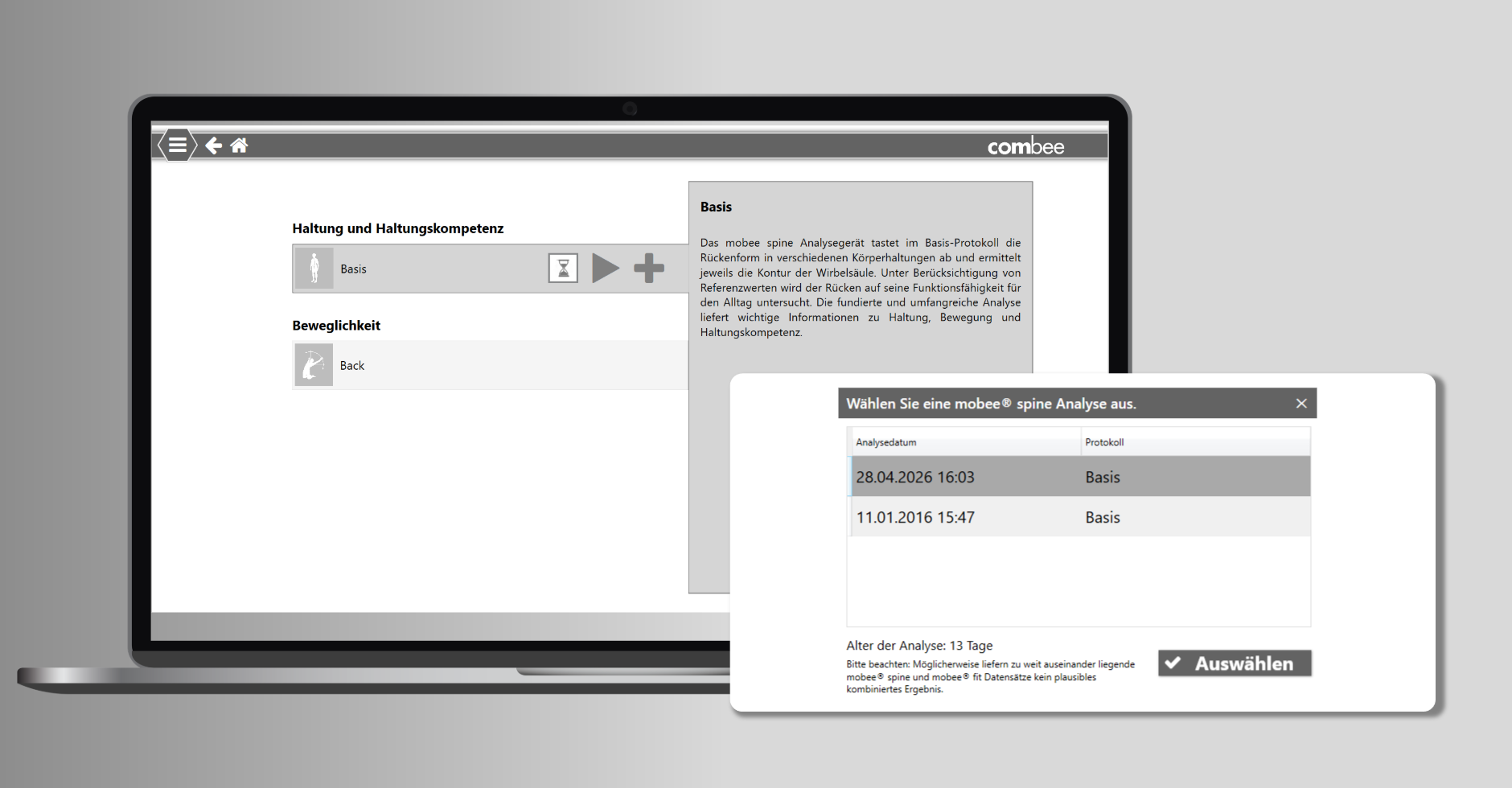
Combining analyses from archives
You can combine previously performed mobee® fit and mobee® spine analyses, stored in their respective measurement archives, to obtain the comprehensive core assessment of the BackRadar. You no longer need to start the analyses live from the BackRadar module.
Adjustments, changes, and corrections from 01.06.2026
Extended HL7 Interface
Our REST server can now communicate with external systems via HL7, utilising both HTTP and TCP/MLLP. Master data exchange and the transmission of TANITA results, including PDF reports, are currently supported.
Advanced GDT Interface
Our GDT interface (options for deleting import files, UTF-8 support) can optionally automatically delete call files after processing and now explicitly uses UTF-8 as the character encoding.
Certificate
All software components are digitally signed to verify the integrity and origin of the software. The digital signing of software components enhances system security and makes subsequent tampering more difficult.
Further changes and adjustments
- S3 CHECK Pro/ mobee Balance – Troubleshooting Uploading S3 Check Results to my mobee App
- S3 CHECK Pro/ mobee Balance – Connection problems resolved: HidApi.dll has been replaced with the latest version, a third-party component used for communication with USB HID (Human Interface Device).
- Language: Swedish has been revised and corrected
Additional information regarding your release.
Installation expenditure & time frame
Please allow at least 15-20 minutes for the installation.
Technical support
Should you require technical support or assistance with your update installation, as a mobee® 360 service customer, you can conveniently reach us via our Support form Your request has been submitted. Your personal contact person will get back to you shortly!
How do I get the update?
Our new software versions will automatically notify you of the update. For older versions, the update can be manually initiated from the software settings. Please ensure your PC is connected to the internet while the update is being performed.
As a service contract customer, you automatically benefit from numerous improvements. If your contract has expired or you are interested in our premium tariff, please do not hesitate to contact Mobee Service Team to turn.